
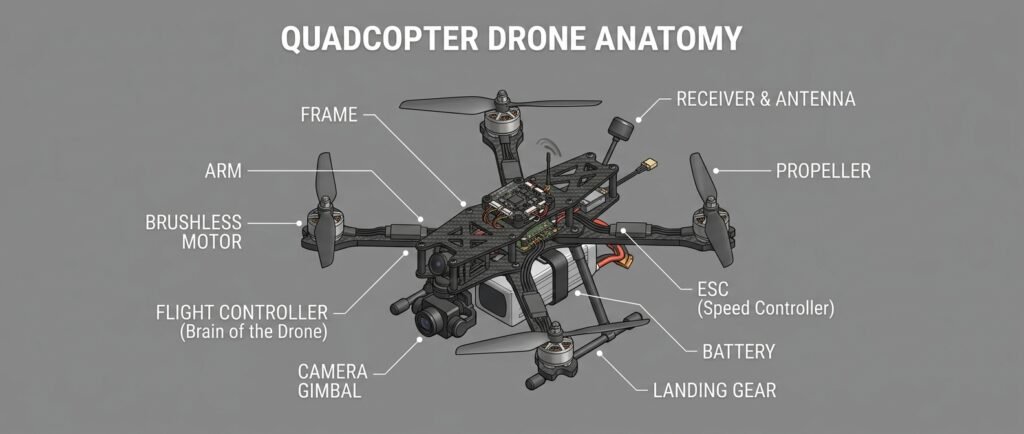
Adding a GPS module lets your aircraft know where it is. That unlocks position on your OSD, the ability to find a crashed model, and, most importantly, an automatic way home if you lose your control link.
What GPS does in each firmware
Betaflight: GPS Rescue
Betaflight is built for manual flying, so its GPS use is focused on emergency recovery.
- GPS Rescue flies the quad back toward home if failsafe triggers.
- It is designed to get the quad back near you, not to land precisely.
- Shows distance and direction to home and coordinates on the OSD.
INAV and ArduPilot: full navigation
INAV and ArduPilot use GPS for proper navigation:
- RTH (Return to Home) with configurable altitude and landing behavior
- Position hold, altitude hold and cruise modes
- Waypoint missions
This is why GPS is essentially required on INAV wings.
GPS vs. compass
- A GPS alone gives position and, once moving, direction of travel.
- A compass (magnetometer) tells the aircraft which way it’s pointing while stationary or hovering.
Planes and wings generally don’t need a compass, because they’re always moving forward. Multirotors running INAV or ArduPilot position modes benefit from one. Betaflight GPS Rescue can work without a compass.
Installing a GPS
- Connect to a free UART (TX to RX, RX to TX) plus 5V and ground. Compass modules also use the I²C pads (SDA/SCL).
- Mount it with a clear view of the sky, on top of the aircraft and away from the VTX, carbon and wiring that can cause interference.
- Point the arrow forward, especially if it includes a compass.
- Enable the GPS port and protocol in the configurator.
Before every flight
- Wait for a solid fix. Don’t arm until you have plenty of satellites (many pilots wait for 8+, and more is better). The home point is set when you arm.
- Check home is set on your OSD.
- Test rescue/RTH at a safe distance after any setup change.
Common problems
- Slow or no fix: often caused by a nearby digital VTX or USB 3 noise during bench testing. Move the GPS away from noise sources.
- Compass errors: usually from mounting near power wires or magnets, or from a wrong orientation setting.
